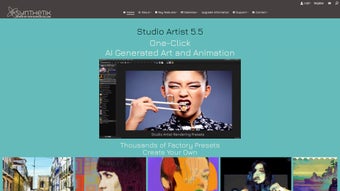

Download Synthetik Studio Artist – AI‑Powered Art & Animation Tool
Overview
Synthetik Studio Artist is a next‑generation creative suite that blends cutting‑edge artificial‑intelligence with a full‑featured traditional drawing environment. Designed for freelancers, agency teams, and hobbyists alike, the software delivers a unified workspace where painting, sketching, photo‑to‑vector conversion, and animation coexist without the need for multiple plug‑ins or external programs. At the heart of the platform lies the Paint Synthesizer Engine, an AI model that can work in three distinct modes: Automatic (the software generates a complete composition), Assisted (it offers real‑time suggestions while you retain control), and Manual (you drive the brush with AI‑enhanced dynamics). This hybrid approach lets users move from rapid concept generation to detailed refinement in a single session, dramatically shortening the time‑to‑final‑art.
Beyond static imagery, Studio Artist provides a robust animation pipeline. Auto‑Rotoscoping turns video clips into vector line drawings, self‑animating effects react to audio beats, and a library of over 150 video‑effect presets can be layered in real time. The software also includes a Photo Mosaic Generator and an Abstract Art Toolkit that produce complex compositions with a single click, making it an invaluable resource for creators who want to experiment with generative techniques without sacrificing artistic intent. Security and reliability are baked into the product: all downloads are signed, cloud‑saved projects are encrypted with AES‑256, and automatic updates keep the AI models fresh without manual intervention. Whether you are drafting a quick social‑media graphic or producing a full‑length animated short, Synthetik offers a secure, flexible, and constantly improving environment that adapts to the way modern artists work.
Key Features & Compatibility
- Paint Synthesizer Engine – Automatic, Assisted, and Manual AI brush modes that understand style, composition, and color theory.
- AI‑Assisted Sketching – Generate clean line art from rough doodles or photographs in seconds, with adjustable edge detection.
- Photo‑to‑Vector Conversion – Instantly turn raster images into scalable SVG files ready for print or UI design.
- Auto‑Rotoscoping – Convert video clips into animated line drawings, complete with a timeline editor for frame‑by‑frame tweaking.
- Self‑Animating Effects – Beat‑synced transformations, particle bursts, and procedural motion that react to audio tracks.
- Video‑Effect Presets Library – Over 150 AI‑optimizable presets ranging from glitch art to cinematic color grading.
- Photo Mosaic Generator – Assemble thousands of thumbnails into a larger image with customizable tile size and opacity.
- Abstract Art Toolkit – Interactive brushes that generate fractal patterns, fluid dynamics, and generative textures on the fly.
- Cross‑Platform Cloud Sync – Securely store projects in the cloud and access them from Windows, macOS, Android, or iOS.
- Real‑Time GPU Acceleration – Vulkan on Windows/Linux, Metal on macOS/iOS, and OpenGL ES on Android for smooth previews.
Synthetik Studio Artist runs on all major operating systems: Windows 10/11 (64‑bit), macOS 12 Monterey and later, Android 9+ tablets, and iOS 14+ iPads. Minimum system requirements include a dual‑core CPU, 8 GB RAM, and a graphics card with at least 2 GB VRAM. Professional users can unlock multi‑GPU support with the optional Pro license, enabling faster AI inference and ultra‑high‑resolution rendering.
The feature set is intentionally organized to keep the learning curve gentle while still offering depth for power users. For example, the Assisted brush mode provides a “suggestion palette” that learns from your previous color choices, and the manual mode lets you fine‑tune pressure curves to emulate charcoal, watercolor, or oil. All presets expose parameters such as frequency, amplitude, and direction, allowing precise synchronization with any soundtrack. The cloud sync service adheres to GDPR and CCPA regulations, ensuring that client‑sensitive material stays private and encrypted during transfer and storage.
Installation, Usage & Pros / Cons
Installation & First‑Run Experience
Begin by visiting the official Synthetik website and clicking the “Download for Windows/macOS/Android/iOS” button that matches your device. The installer is digitally signed, guaranteeing a malware‑free download. After the file finishes downloading, run the executable (or the .dmg on macOS) and follow the on‑screen prompts: accept the license, choose an installation folder, and enable automatic updates. The application occupies roughly 1.2 GB, with additional space allocated for AI model caches that improve performance over time.
Upon first launch, you’ll be prompted to sign in or create a free Synthetik account. The onboarding wizard walks you through the main workspace—canvas, layer panel, AI toolbox, and animation timeline. A “Quick Start” mode offers three project templates: Digital Painting, Vector Illustration, and Animated Short. Selecting a template automatically configures the appropriate brush set, resolution, and export settings, allowing you to dive straight into creation.
How to Use the Core Tools
To test the Paint Synthesizer, click the “AI Brush” icon and choose “Automatic.” The engine will generate a composition based on the style you select (e.g., impressionist, cyber‑punk, watercolor). Switch to “Assisted” to receive real‑time stroke and palette suggestions while you retain full control. For complete manual control, pick “Manual” and enjoy AI‑enhanced smoothing, pressure simulation, and dynamic texture blending. The auto‑rotoscoping workflow begins by importing a video clip, pressing “Auto‑Rotoscope,” and then refining the generated line art on the timeline. Drag a self‑animating effect from the presets panel onto any layer, double‑click to adjust speed, direction, and color modulation, then export as MP4, GIF, or image sequence.
Pros
- AI‑driven tools drastically reduce time‑to‑concept for both static and animated projects.
- Three brush modes cater to beginners, intermediate users, and expert illustrators.
- Cross‑platform cloud sync enables seamless workflow across Windows, macOS, Android, and iOS.
- Extensive library of animation presets eliminates the need for third‑party plug‑ins.
- End‑to‑end encryption and GDPR‑compliant storage protect sensitive client data.
- Automatic updates keep AI models current without user intervention.
Cons
- Initial AI model download can be several gigabytes, requiring a stable internet connection.
- Advanced features such as multi‑GPU rendering are locked behind a paid Pro tier.
- The animation timeline may feel complex for users new to motion graphics.
- Mobile versions have a reduced brush set compared to the desktop application.
Frequently Asked Questions
Is Synthetik free or does it require a purchase?
Synthetik offers a free tier that includes core painting and basic animation tools. The optional Pro subscription unlocks premium brushes, multi‑GPU rendering, and priority support for $19.99 /month or a one‑time lifetime license.
Can I use the same license on Windows and macOS?
Yes. A single Synthetik account grants cross‑platform access. After signing in on any supported device, your license synchronizes automatically.
How does the AI handle copyrighted material?
The AI models are trained on publicly available, royalty‑free datasets. Uploaded reference images are stored locally unless you explicitly choose cloud sync, protecting your intellectual property.
What export formats are supported?
Studio Artist exports PNG, JPEG, SVG, PSD (layer‑preserved), MP4, GIF, EXR, and TIFF. Direct publishing to YouTube, Instagram, and Behance is also built in.
Is there a trial for the Pro features?
New users receive a 14‑day free trial of the Pro tier with no credit‑card required. You can cancel anytime before the trial ends.
Conclusion & Call to Action
Synthetik Studio Artist stands out in the crowded AI‑art market by delivering a truly integrated workflow that serves both static illustration and dynamic animation. Its combination of automatic generation, assisted creativity, and full manual control makes it suitable for beginners exploring generative art as well as seasoned professionals demanding precision and depth. Cross‑platform availability, secure cloud sync, and regular AI updates ensure you can work wherever inspiration strikes, without worrying about compatibility or data safety. While the free tier already offers a robust toolkit, the optional Pro subscription unlocks high‑end features that can accelerate production pipelines and elevate visual quality.
Ready to streamline your creative process, cut repetitive tasks, and explore new artistic possibilities? Download Synthetik Studio Artist now and start your 14‑day Pro trial today. Join a growing community of artists who are reshaping digital creation with AI.



.png)



